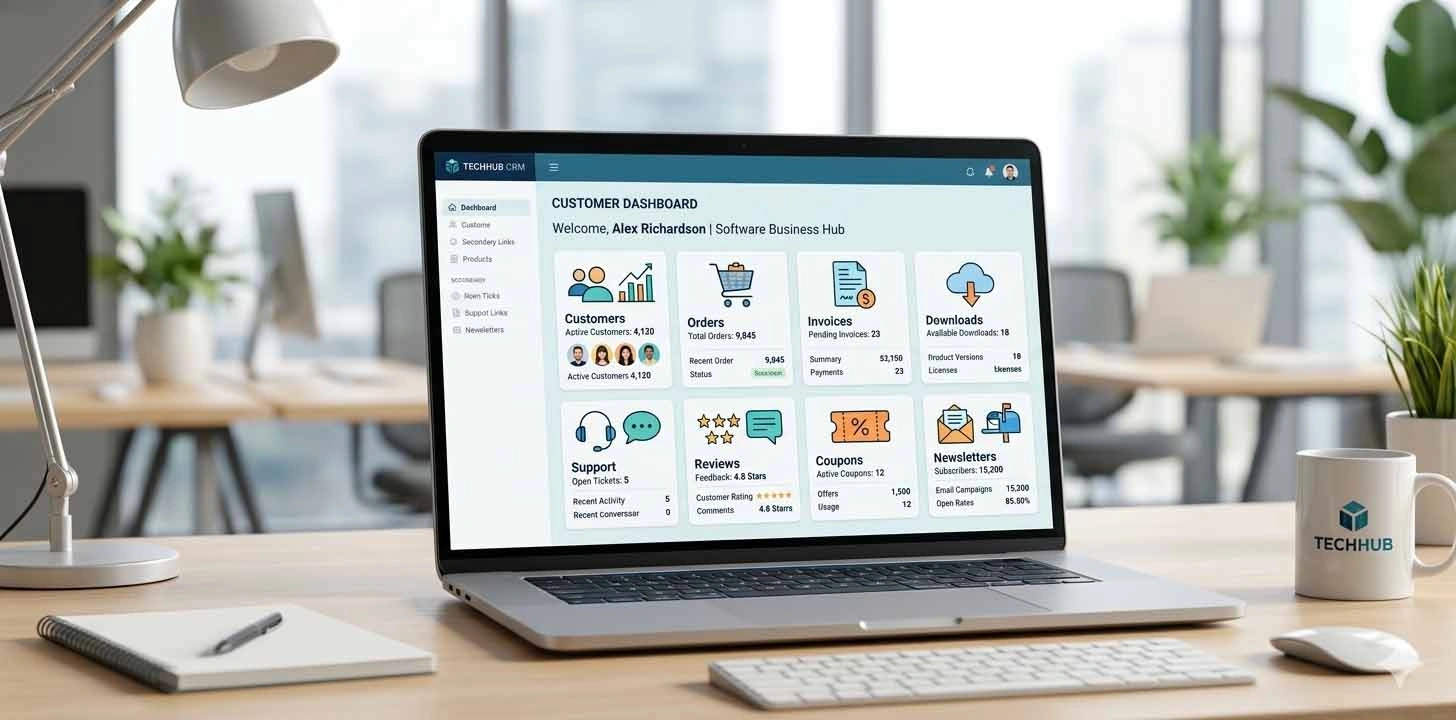
How Customer Management Helps Online Software Businesses
Leave a commentCustomer management is very important for online software businesses because it helps track buyers, orders, invoices, download access, support requests, reviews, coupon usage, and communication history in one organized place. A good customer management system improves support, builds trust, and helps businesses make better decisions.
Running an online software business is not only about selling products. After a customer buys a software product, template, plugin, source code package, or digital file, the business must continue to manage the relationship properly.
Customers may need invoices, download access, product updates, support, refund clarification, coupon details, or help with their account. If customer data is scattered across different places, it becomes difficult to provide fast and professional service.
This is why customer management is important for online software businesses.
What is Customer Management?
Customer management means keeping customer-related information organized in one system. It helps the business understand who the customer is, what they purchased, when they purchased it, whether payment was successful, what downloads they accessed, and whether they contacted support.
For a digital product website, customer management can include:
- Customer name and email
- Phone and address details
- Order history
- Invoice history
- Download access
- Download activity
- Coupon usage
- Support messages
- Product reviews
- Newsletter status
- Account status
When all this information is connected, the business becomes easier to manage.
- Helps Track Customer Orders
Order history is one of the most important parts of customer management. When a customer contacts support, the admin should quickly know what the customer purchased.
A good customer profile should show:
- Order ID
- Product name
- Payment status
- Order date
- Grand total
- Coupon discount
- Invoice link
This helps the business verify purchases quickly and respond professionally.
- Improves Customer Support
Customer support becomes difficult when information is not organized. A customer may say, “I paid but I cannot download the product” or “I need my invoice again.”
Without a customer management system, admin may need to check orders, emails, payment records, download logs, and support messages separately.
With proper customer management, admin can see the full customer journey from one place.
This saves time and improves customer satisfaction.
- Connects Download Access with Customer Profile
For online software businesses, download access is very important. A customer may have access through a paid order or manual admin grant.
A customer management system should help admin see:
- Which products the customer can download
- Whether access is active
- Whether access is revoked or blocked
- Download count
- Last download date
- Expiry status
- Download logs
This helps support teams solve download-related issues faster.
- Helps Manage Invoices and Payment Records
Customers may need invoice copies for accounting or business records. If the customer profile shows order and invoice details clearly, admin can provide help quickly.
A professional system should connect customer details with:
- Paid orders
- Invoice PDF
- Payment ID
- Payment method
- GST/tax details
- Coupon discount
- Grand total
This makes the business more organized and trustworthy.
- Tracks Coupon Usage
Coupon codes are commonly used in online selling. But admin should know which customer used which coupon and how much discount was given.
Customer management can show:
- Coupon code used
- Discount amount
- Related order
- Order total
- Payment status
- Usage date
This helps the business understand promotions and prevent coupon misuse.
- Shows Support History
A customer may contact support multiple times. If support messages are connected with customer profile, admin can understand previous conversations before replying.
Support history can include:
- Subject
- Message date
- Status
- Admin reply status
- Replied date
- Closed/open state
This helps provide better and more consistent support.
- Tracks Reviews and Feedback
Customer reviews are useful for improving products and building trust. A customer management system can show whether a customer has posted product reviews, replies, or reactions.
This helps admin understand customer engagement.
For example:
- Which product was reviewed
- Rating given
- Review status
- Approved or pending review
- Replies posted
- Reactions given
This is helpful for moderation and product improvement.
- Helps with Newsletter and Communication
Not every customer wants marketing emails. Some may subscribe, while others may opt out.
Customer management can show newsletter status:
- Active subscriber
- Opted out
- Not subscribed
This helps the business respect customer preferences and manage communication properly.
- Improves Business Decision-Making
Customer data is valuable for business decisions. A proper customer management system helps identify:
- Repeat customers
- High-value customers
- Most purchased products
- Customers with support issues
- Coupon users
- Download activity patterns
- Product interest
These insights help the business improve products, support, and marketing strategy.
- Builds Professionalism and Trust
When a business can quickly answer customer questions, provide invoices, check download access, and solve support issues, customers feel more confident.
A professional customer management system shows that the business is organized and serious about service.
This is important for online software sellers, because customers are buying digital products without physical delivery. Trust and support matter a lot.
Why Customer Management is Important for Digital Products
In digital product selling, the relationship does not end after payment. Customers may download files, request updates, ask for support, submit reviews, or need invoices later.
A strong customer management system connects:
- Orders
- Invoices
- Downloads
- Support
- Reviews
- Coupons
- Newsletter status
This gives the admin a complete view of the customer.
How Codide Helps Online Software Businesses
Codide is built with practical digital product business needs in mind. A complete software-selling website should not only list products and accept payments. It should also help manage customers, orders, invoices, downloads, support messages, reviews, newsletters, coupons, and analytics.
With customer management, admin can understand each customer’s full journey and provide better service.
This makes the business more organized, professional, and ready for growth.
Conclusion
Customer management is a key part of any online software business. It helps track orders, invoices, download access, support messages, reviews, coupon usage, and communication status from one organized place.
For businesses selling software, templates, source code, or other digital products, customer management is not optional. It is an important tool for better support, better control, and better business decisions.
A well-designed customer management system helps turn one-time buyers into long-term trusted customers.